XXX Website Cemetery / Graveyard

Is your filter not working properly?
By Susan Hanly - Associate Consultant
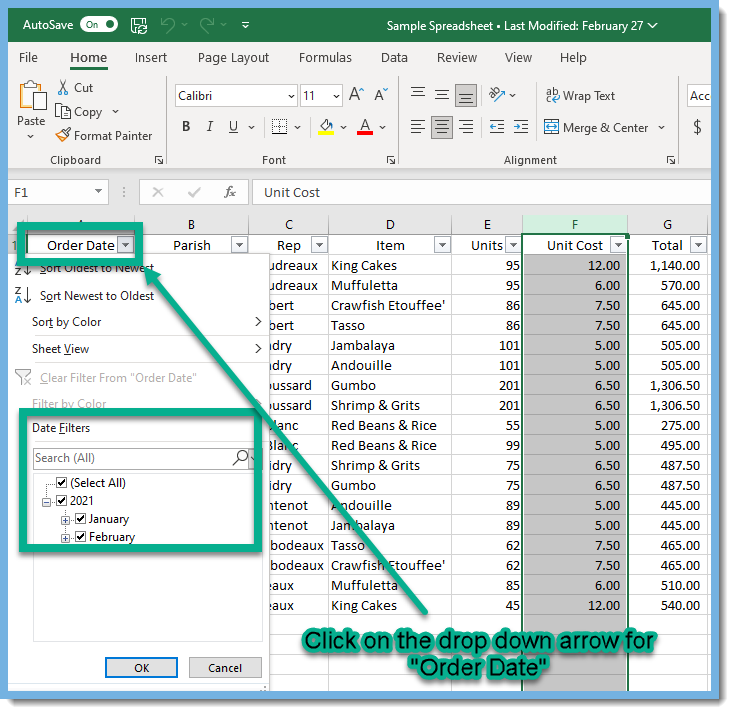
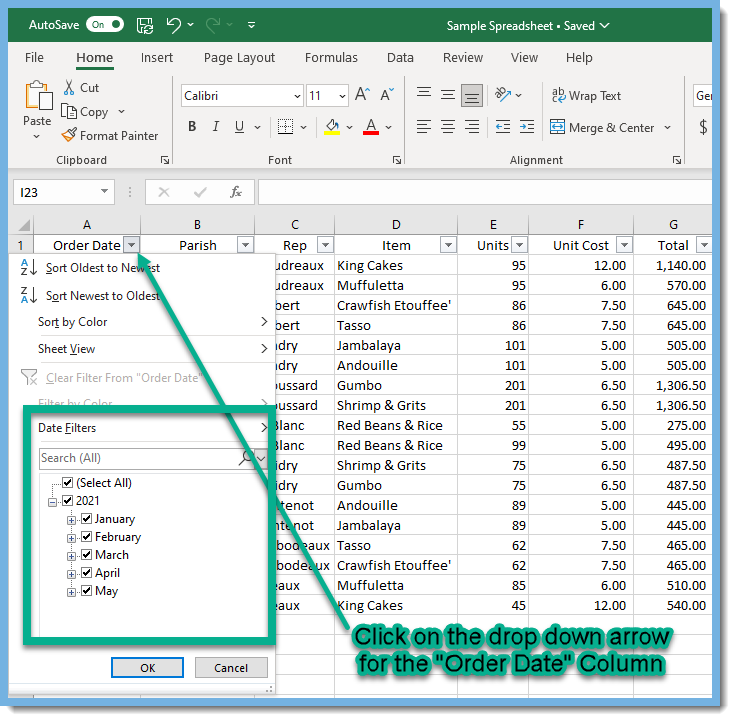
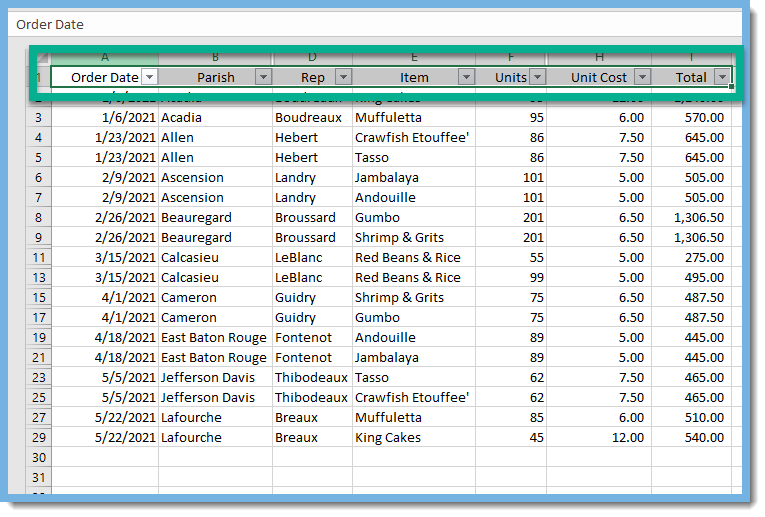 When you drop down on the "Order Date", the Date Filter only includes January and February. Where are March, April, and May?
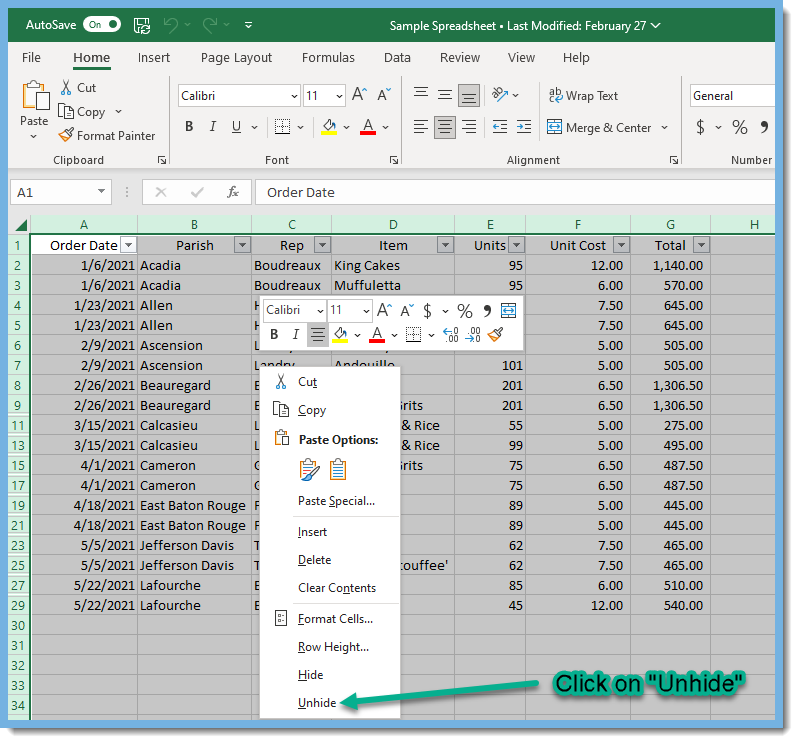
 To fix this problem, highlight the entire worksheet by pressing CTRL+A. Note: If the worksheet contains data, and the active cell is above or to the right of the data, pressing CTRL+A selects the current region. Pressing CTRL+A a second time selects the entire worksheet.
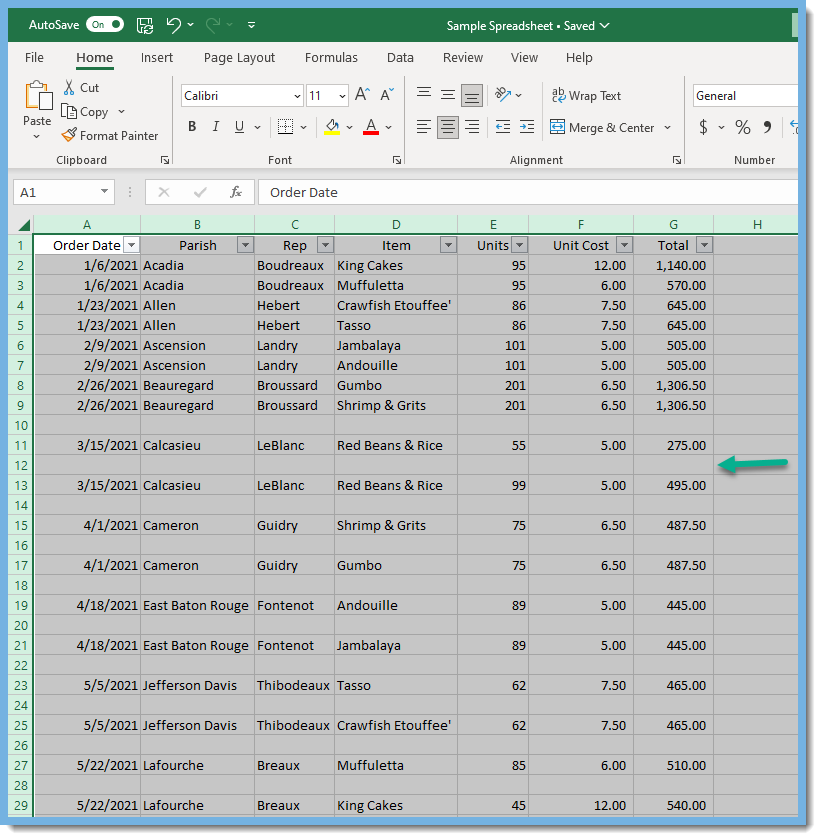
  This will reveal the blank rows that were hidden and were keeping months March, April, and May from showing up in the filter.
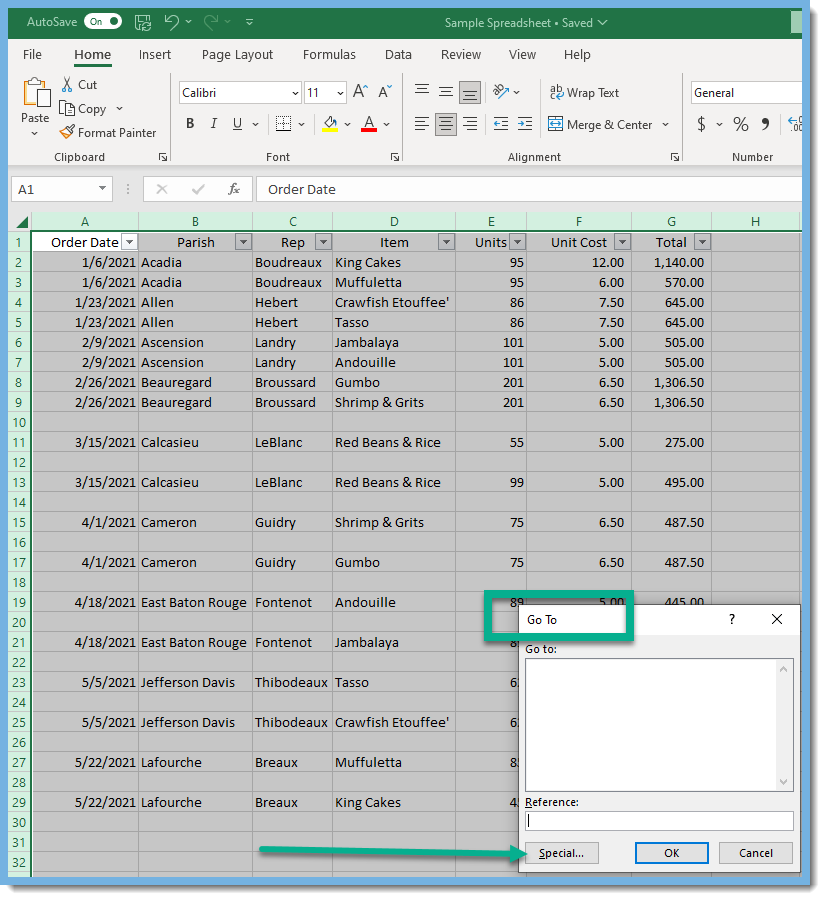
 Press F5 to bring up the "Go To" box. Click on the "Special" button.
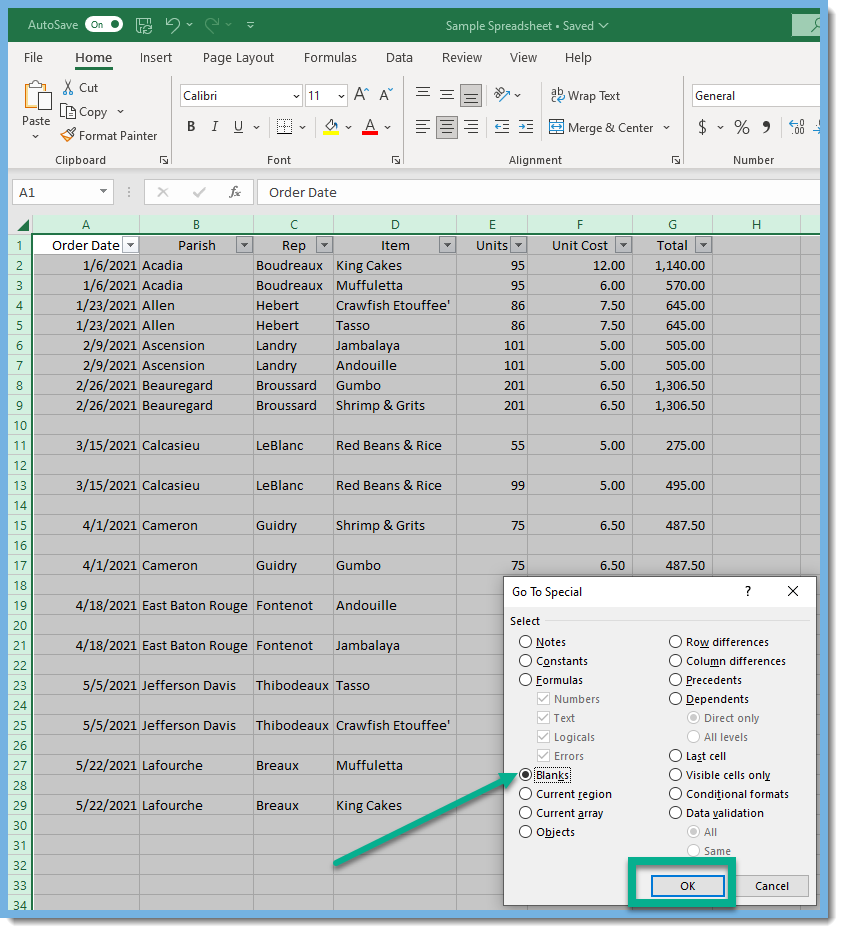
 Choose "Blanks" and click OK.
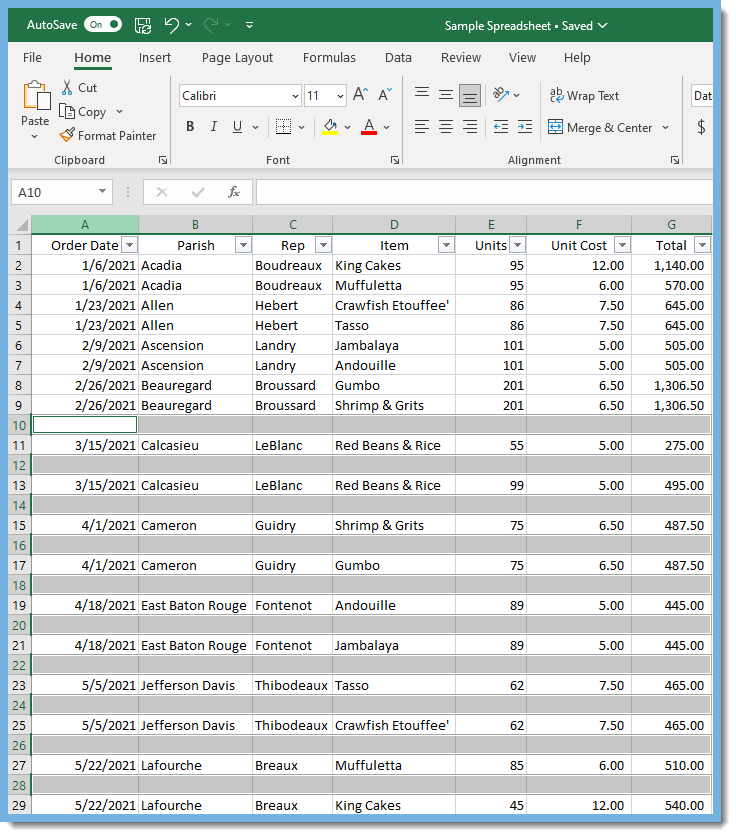
 The blank rows are highlighted.
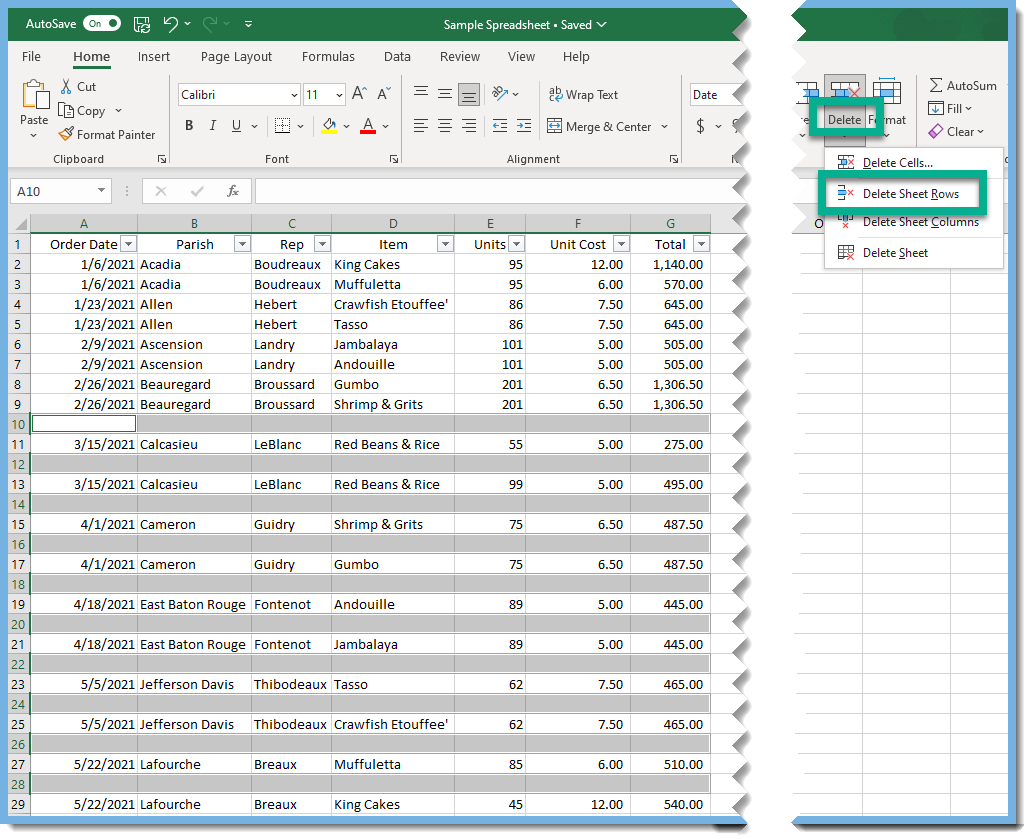
 Click on "Delete" and then "Delete Sheet Rows".
  Now that all the blank rows are deleted, click on the drop down arrow for "Order Date". Voila! March, April, and May now show up in the Date Filter!
 Stay tuned as more fixes for excel filter issues will be covered in future blogs. You can visit our website here to read more Tip Tuesday blogs.